





Description
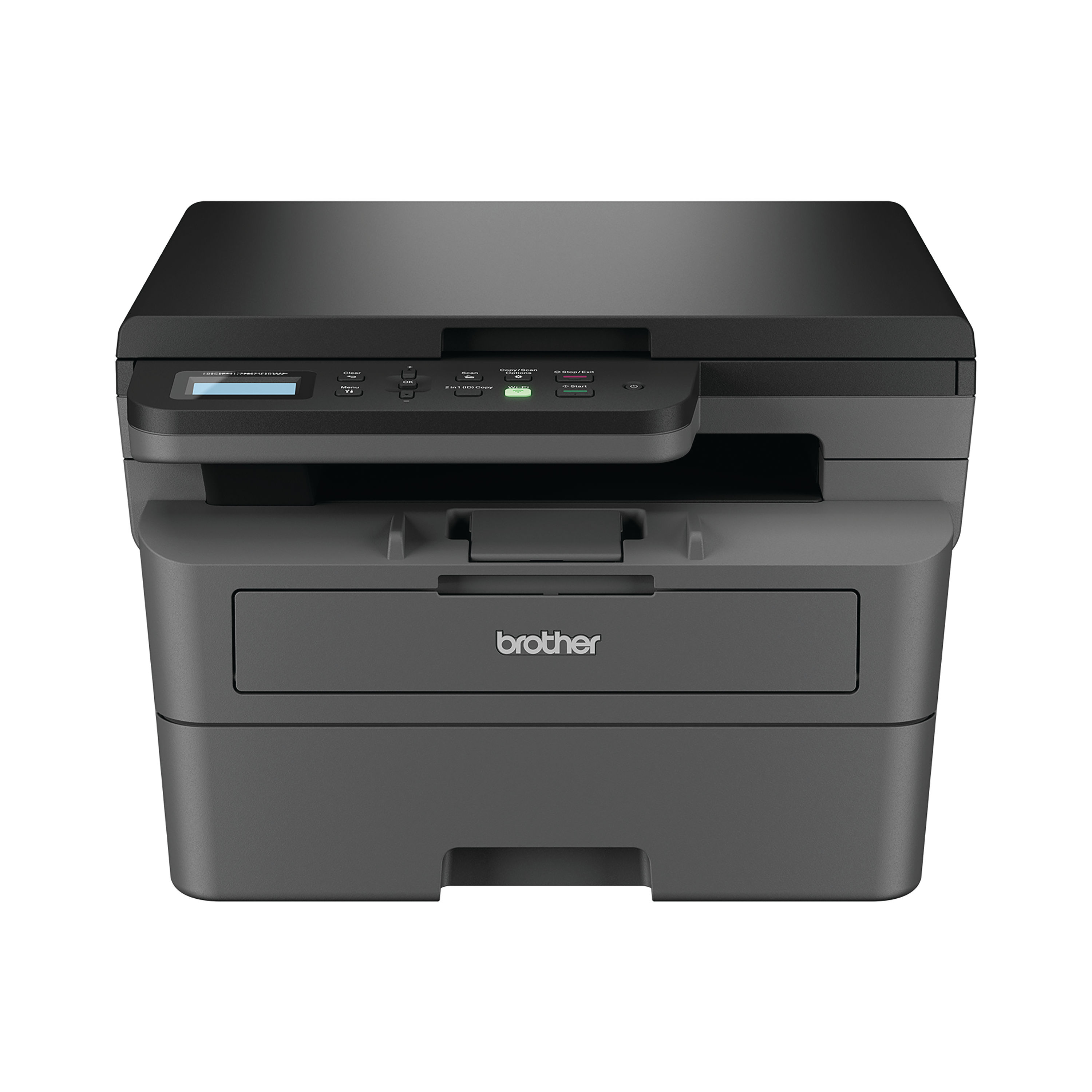
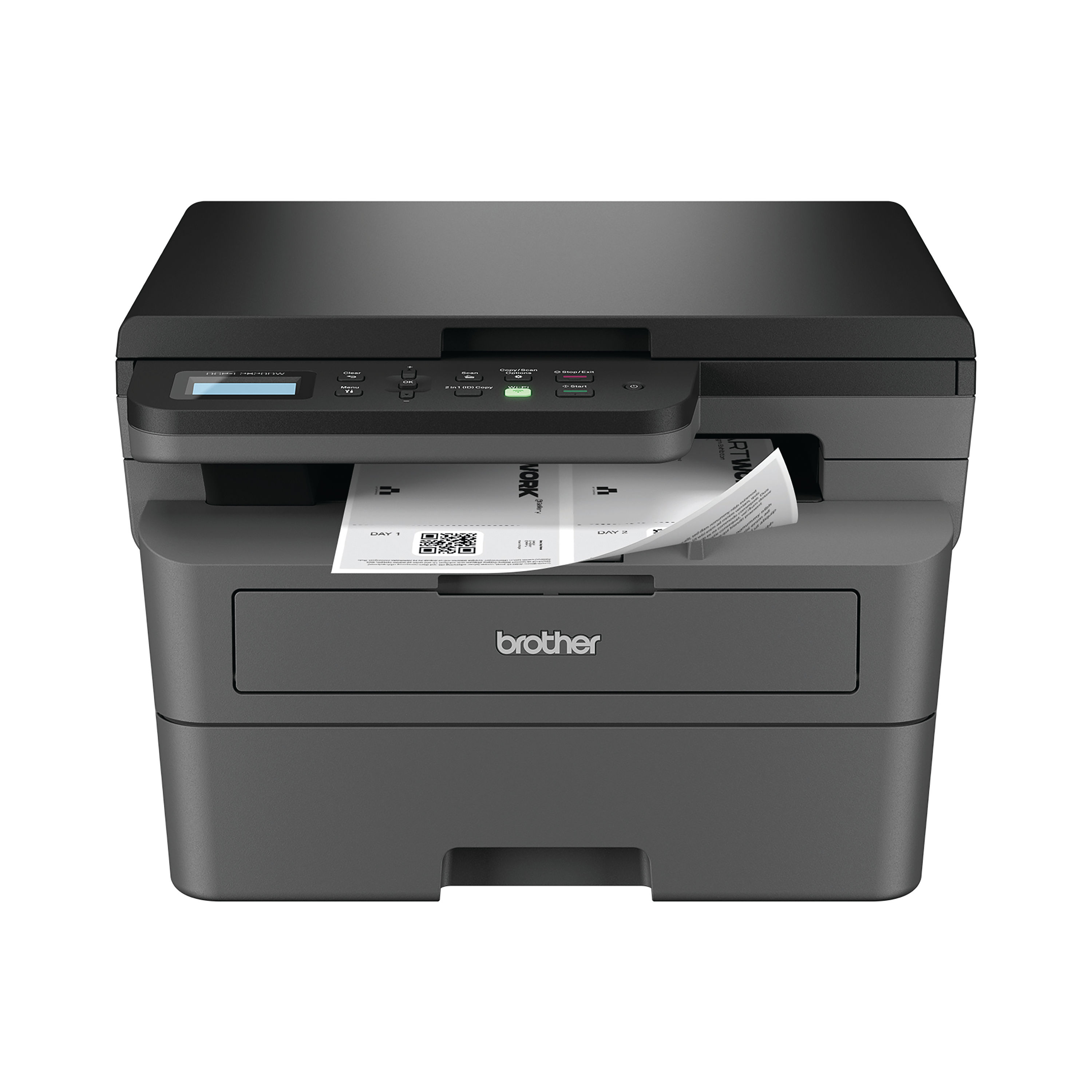
BROTHER DCP-L2620DW 3IN1 MONO PRINTER
The Brother DCP-L2620DW 3-in-1 Mono Printer is a compact and efficient multifunction device designed to meet the demands of modern home offices and small business environments. Combining print, scan, and copy functionality in a single unit, it delivers dependable monochrome output with professional clarity and consistent performance.
Engineered for productivity, this wireless laser printer supports automatic double-sided printing to reduce paper consumption while maintaining sharp, high-resolution text. Its streamlined design fits comfortably into smaller workspaces without compromising on speed or output quality.
With wireless connectivity and mobile printing compatibility, the Brother DCP-L2620DW integrates seamlessly into flexible working environments, supporting both desktop and remote workflows.
Professional Use Process
In a professional setting, the Brother DCP-L2620DW supports efficient document handling through a straightforward workflow:
- Document Preparation:
Files are created or received digitally via desktop or mobile devices. - Connectivity:
The printer connects via Wi-Fi or USB to the office network, enabling shared access across multiple users. - Printing:
Documents are sent to the printer using the operating system’s print interface or mobile printing application. Automatic duplex functionality can be selected to reduce paper usage. - Scanning:
Hard copy documents are placed on the flatbed scanner. Digital files are created and saved to a connected device. - Copying:
Physical documents can be reproduced directly from the device without requiring a computer.
This streamlined process enhances efficiency, reduces downtime, and supports smooth daily operations in busy environments.
Key Features and Benefits
Features
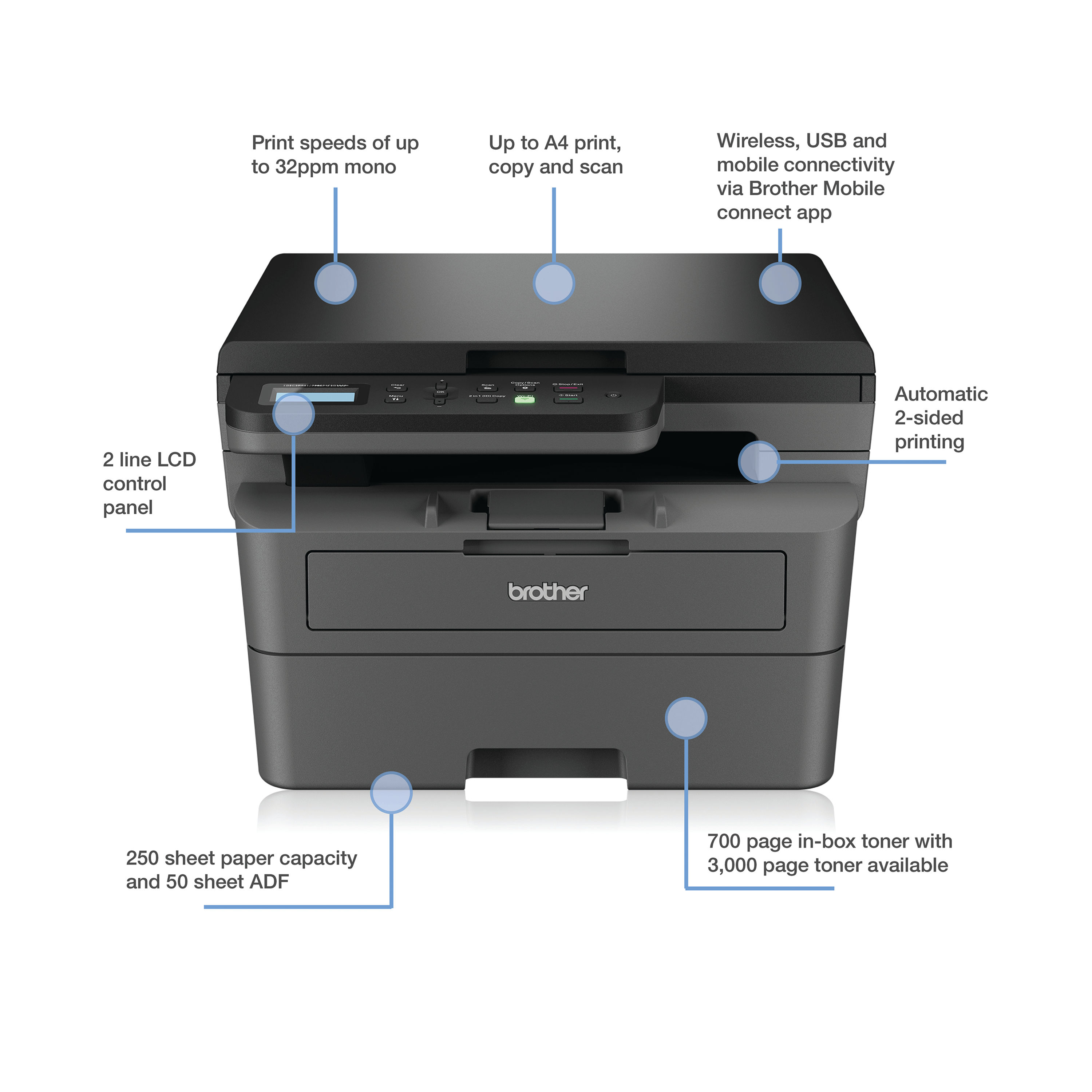
- 3-in-1 functionality: Print, Scan, Copy
- Monochrome laser printing
- Automatic duplex (double-sided) printing
- Wireless connectivity (Wi-Fi)
- USB connectivity option
- Compact, space-saving design
- High-quality text output
- Compatible with mobile printing solutions
Benefits
- Reduces equipment clutter with multifunction capability
- Enhances productivity through fast print speeds
- Lowers paper consumption with duplex printing
- Supports flexible working with wireless access
- Produces sharp, professional documents
- Cost-effective monochrome printing solution
Instructions for Use
- Unpack the printer and remove all protective packaging materials.
- Install the toner cartridge according to the quick setup guide.
- Connect the printer to a power source and switch it on.
- Connect to your network via Wi-Fi setup or USB cable.
- Install the appropriate drivers from the official Brother support website.
- Load paper into the input tray.
- Select print, scan, or copy functions as required.
- Perform routine maintenance such as toner replacement when prompted.
Always follow the manufacturer’s guidance for setup and maintenance.
Comparison Table: Brother DCP-L2620DW vs Inkjet All-in-One Printer
| Feature | Brother DCP-L2620DW Mono Laser | Typical Inkjet All-in-One |
| Print Type | Monochrome laser | Colour inkjet |
| Print Speed | Generally faster for text | Slower for high-volume text |
| Running Costs | Lower for black text documents | Higher ink replacement costs |
| Duplex Printing | Automatic | Often manual (model dependent) |
| Ideal For | High-volume text documents | Colour graphics and photos |
| Maintenance | Less frequent cartridge changes | More frequent ink replacement |
Specification Sheet
Product Name: Brother DCP-L2620DW
Functionality: Print, Scan, Copy
Print Technology: Monochrome Laser
Connectivity: Wi-Fi, USB
Duplex Printing: Automatic
Paper Size Support: A4 (standard office formats)
Scan Type: Flatbed
Display: Integrated control panel
Print Resolution: High-resolution mono output (refer to manufacturer details)
Processor & Memory: As per manufacturer specification
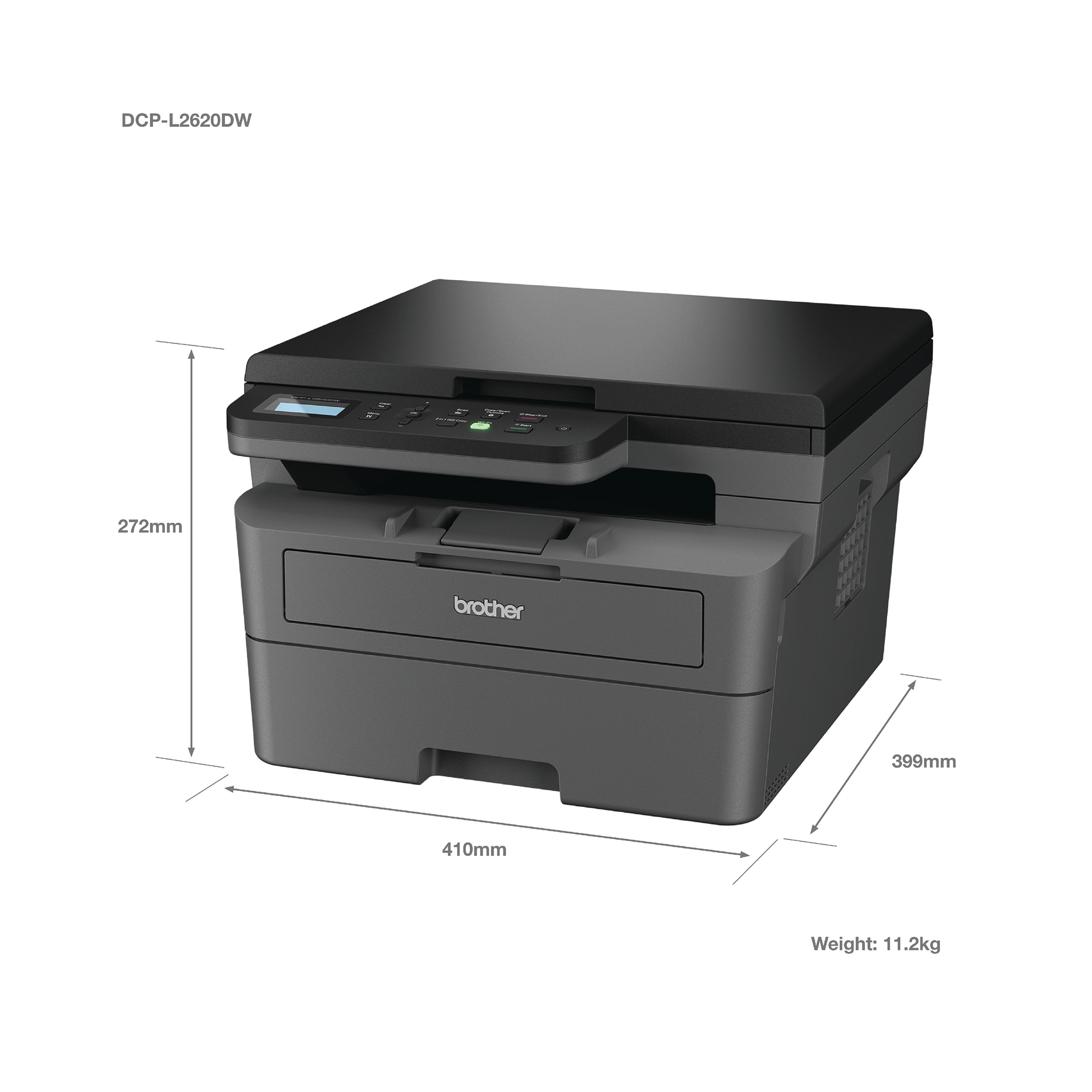
Dimensions: Compact desktop footprint
Weight: Refer to manufacturer documentation
Compatibility: Windows, macOS (check latest driver support)
Energy Efficiency: Designed to meet modern energy standards
For the most up-to-date technical data, refer to the official manufacturer documentation.
Frequently Asked Questions (FAQs)
Is the Brother DCP-L2620DW suitable for home offices?
Yes, its compact size and wireless connectivity make it ideal for home and small office use.
Does it print in colour?
No, this is a monochrome laser printer designed for black and white printing.
Can it print double-sided automatically?
Yes, it supports automatic duplex printing.
Is mobile printing supported?
Yes, it supports wireless printing from compatible mobile devices.
What type of toner does it use?
It uses compatible Brother mono laser toner cartridges specific to this model.
Authoritative External Links
- Official Brother UK Product Page:
https://www.brother.co.uk - Brother UK Support & Drivers:
https://support.brother.com - Energy Saving Trust (UK):
https://energysavingtrust.org.uk - Which? Technology Buying Advice:
https://www.which.co.uk/technology
Summary and Conclusion
The Brother DCP-L2620DW 3-in-1 Mono Printer delivers dependable, high-quality monochrome printing alongside convenient scanning and copying functionality. Its wireless capability, automatic duplex feature, and compact design make it a practical solution for professional and home office environments.
For organisations seeking efficient black and white document production with reliable performance and manageable running costs, this multifunction laser printer represents a smart and productive investment.

Brother Infographic
See our full selection:
https://www.nicheofficesolutions.co.uk/it-supplies-manchester/
https://www.nicheofficesolutions.co.uk/it-supplies-leeds/
https://www.nicheofficesolutions.co.uk/office-supplies-liverpool/
https://www.nicheofficesolutions.co.uk/office-supplies-sheffield/
For procurement details, bulk purchasing, and further product information, contact our team today on 01274 965089.
Further information can be found on our blog page: https://www.nicheofficesolutions.co.uk/news-niche/
View our Office YouTube videos https://www.youtube.com/@nicheofficesolutionsltd9953
If you have any additional questions, drop us an email at info@nicheofficesolutions.co.uk
There are no reviews yet.