






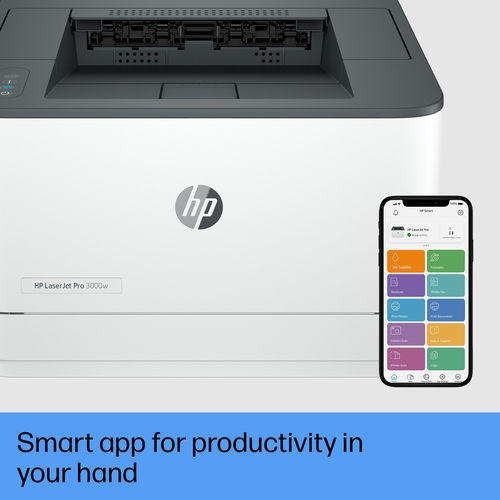
Description
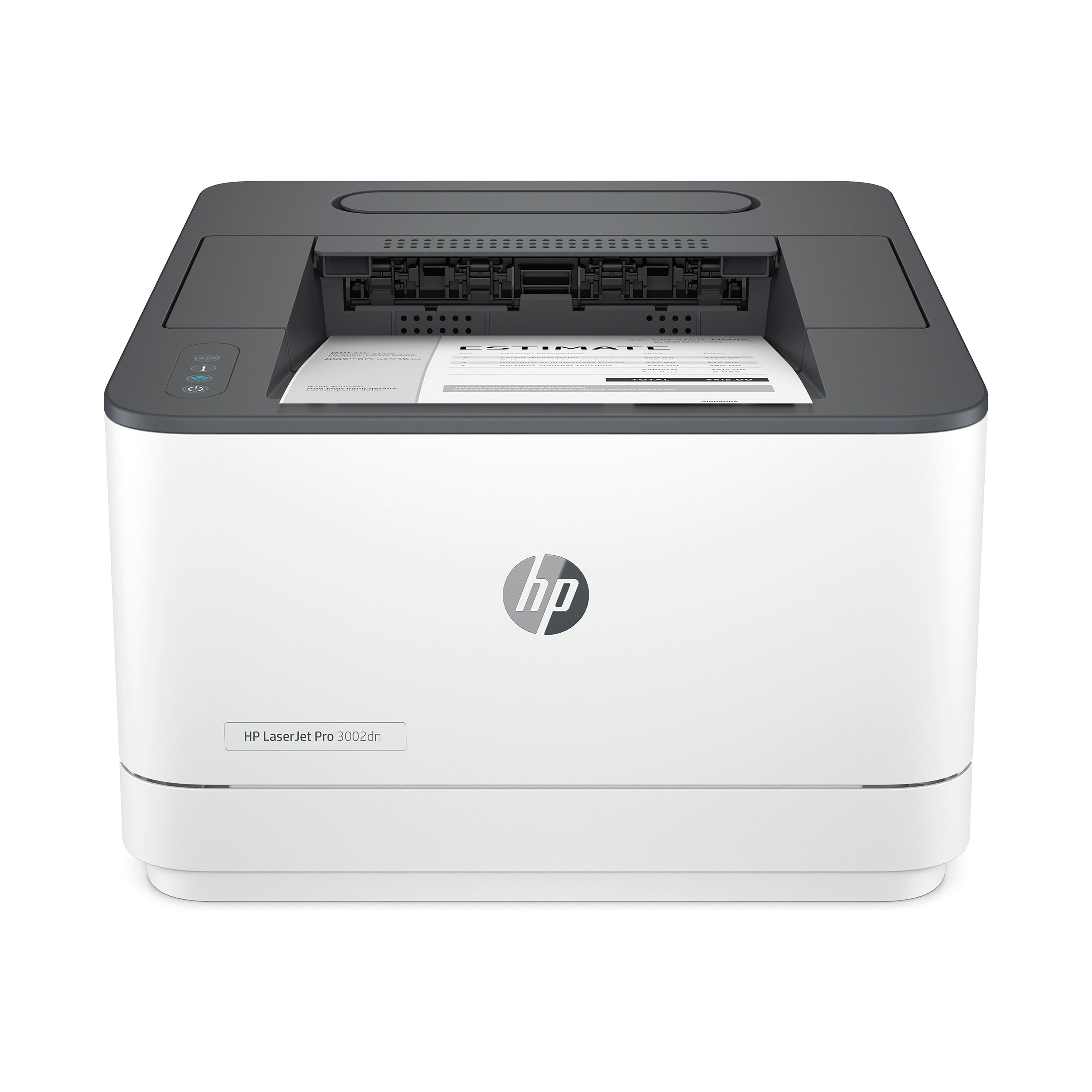
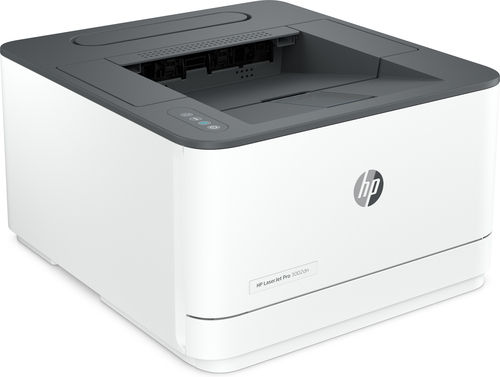
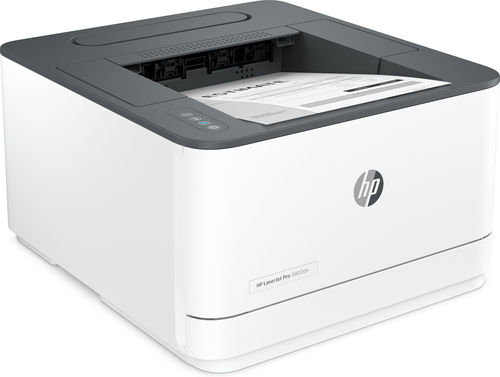
The HP LaserJet Pro 3002dn Printer is a compact yet powerful A4 monochrome laser printer designed for professional office environments that demand speed, reliability and cost-efficient performance. Built for small to medium-sized businesses and departmental use, this wired network printer delivers crisp black text, automatic duplex printing and dependable throughput for daily document production.
Engineered with HP’s precision laser technology, the 3002dn is optimised for high-volume printing tasks such as invoices, reports, contracts and administrative paperwork. With Gigabit Ethernet connectivity and robust security features, it integrates seamlessly into managed IT infrastructures, ensuring stable shared access and secure document handling.
Its balance of performance, efficiency and straightforward operation makes it an ideal solution for organisations seeking a professional mono laser printer with low operational complexity.
Professional Workflow Process
In a structured office setting, the HP LaserJet Pro 3002dn supports the following workflow:
1. Document Creation
Users prepare documents using productivity software, finance systems or document management platforms.
2. Network Deployment
The printer connects to the local network via Ethernet. IT administrators configure device settings, assign permissions and integrate the printer within existing infrastructure.
3. Print Configuration
Users select print preferences such as:
-
Page range
-
Duplex printing
-
Paper size
-
Resolution
4. Laser Printing Process
The printer uses advanced laser imaging:
-
A laser writes the page image onto a charged drum.
-
Toner adheres to the imaged areas.
-
Heat fuses toner permanently to paper.
-
The finished document exits dry and immediately ready for handling.
5. Output & Filing
Printed documents are collated in the output tray and distributed, archived or forwarded to clients.
This streamlined workflow ensures consistent productivity with minimal manual intervention.
Key Features & Benefits
Key Features
-
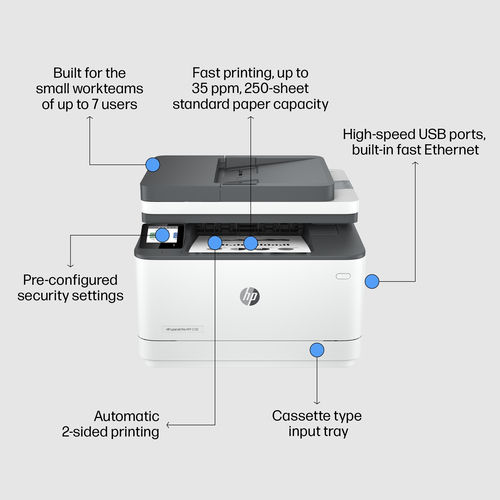
Monochrome laser printing up to approximately 33–35 pages per minute (A4)
-
Automatic duplex printing
-
250-sheet input tray with multipurpose feed
-
Gigabit Ethernet connectivity
-
Professional print language support (PCL, PostScript)
-
Compact office footprint
-
Robust monthly duty cycle
Benefits
-
Fast document turnaround for busy teams
-
Reduced paper usage through automatic double-sided printing
-
Stable wired networking for shared office environments
-
Sharp, professional-quality text output
-
Easy integration into business IT systems
-
Lower cost per page compared to inkjet alternatives
Instructions for Use
-
Unbox and Position
Place the printer on a stable surface with adequate airflow. -
Install Toner Cartridge
Open the front panel and insert the HP black toner cartridge securely. -
Load Paper
Adjust the guides and load A4 paper into the input tray. -
Connect to Network
Connect the Ethernet cable to your office router or network switch. -
Install Drivers
Download and install drivers from HP’s official support site:
https://support.hp.com/gb-en/drivers -
Configure Settings
Access printer properties via your PC to set duplex printing and default preferences. -
Routine Maintenance
Replace toner when prompted and follow the maintenance guidelines in the user manual.
Always refer to the official HP documentation for safety and compliance information.
Comparison Table – HP LaserJet Pro 3002dn vs Alternative Models
| Feature | HP LaserJet Pro 3002dn | HP LaserJet Pro 4002dn | Typical Mono Inkjet Printer |
|---|---|---|---|
| Print Technology | Mono Laser | Mono Laser | Inkjet |
| Print Speed | Up to 33–35 ppm | Up to 40 ppm | Slower |
| Duplex Printing | Automatic | Automatic | Often manual |
| Connectivity | Ethernet, USB | Ethernet, USB | Wi-Fi, USB |
| Monthly Volume | Moderate business use | Higher workload capacity | Low |
| Best Use | Small–medium office | Busy workgroup | Home office |
The 3002dn is ideal for small to medium offices, while the 4002dn is suited to higher-volume departmental environments.
Specification Sheet
Model: HP LaserJet Pro 3002dn
Printer Type: A4 Monochrome Laser Printer
Print Technology: Laser
Print Speed: Up to approx. 33–35 ppm (A4)
Print Resolution: Up to 1200 × 1200 dpi
Duplex Printing: Automatic
Input Capacity: 250-sheet tray + multipurpose feed
Output Capacity: Approx. 150 sheets
Connectivity: Gigabit Ethernet, USB 2.0
Memory: 256 MB (approx.)
Print Languages: PCL 5e, PCL 6, PostScript, PDF
Recommended Monthly Volume: 350–2,500 pages
Maximum Duty Cycle: Up to approx. 50,000 pages per month
Supported Media Sizes: A4, A5, A6, B5, Legal
Media Types: Plain paper, envelopes, labels, recycled paper
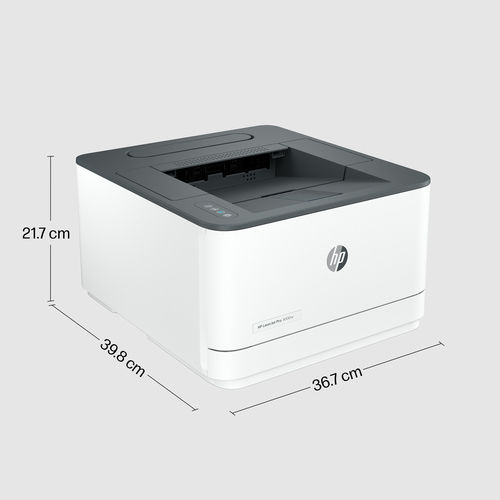
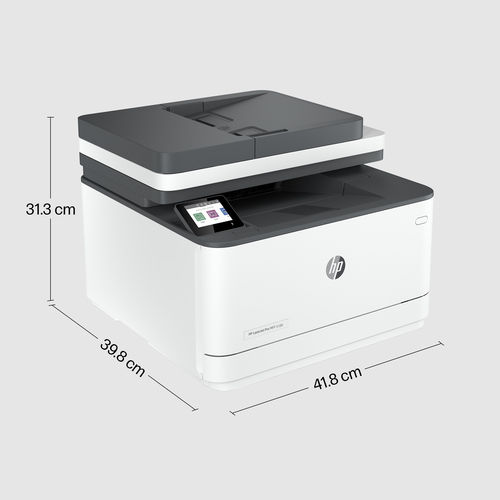
Dimensions: Approx. 367 × 398 × 216 mm
Weight: Approx. 8 kg
For the most current technical specifications, consult the official HP documentation.
Frequently Asked Questions
Is the HP 3002dn suitable for shared office use?
Yes. Its Ethernet connectivity makes it ideal for shared network environments.
Does it support wireless printing?
No. This model is wired only. Wireless variants are available in the HP Pro range.
Can it print double-sided automatically?
Yes. Automatic duplex printing is included as standard.
Is this printer suitable for high-volume printing?
It is designed for moderate business workloads. For heavier usage, consider the HP 4002dn.
Where can I download drivers and firmware updates?
Drivers and firmware are available via HP’s official support portal.
Authoritative External Links
HP UK Official Support & Drivers
HP Business Printing Solutions
Which? Printer Buying Guide (UK)
Energy Saving Trust – Office Equipment Advice
Summary & Conclusion
The HP LaserJet Pro 3002dn Printer delivers reliable, high-speed monochrome printing with automatic duplex capability and stable wired networking. Designed for professional office use, it offers strong performance, consistent text quality and straightforward integration into business IT environments.
For organisations seeking a dependable A4 mono laser printer that balances productivity with efficiency, the 3002dn provides a practical, cost-effective and business-ready solution.

HP Infographic
See our full selection:
https://www.nicheofficesolutions.co.uk/it-supplies-manchester/
https://www.nicheofficesolutions.co.uk/it-supplies-leeds/
https://www.nicheofficesolutions.co.uk/office-supplies-liverpool/
https://www.nicheofficesolutions.co.uk/office-supplies-sheffield/
For procurement details, bulk purchasing, and further product information, contact our team today on 01274 965089.
Further information can be found on our blog page: https://www.nicheofficesolutions.co.uk/news-niche/
View our Office YouTube videos https://www.youtube.com/@nicheofficesolutionsltd9953
If you have any additional questions, drop us an email at info@nicheofficesolutions.co.uk
There are no reviews yet.